
Free plan
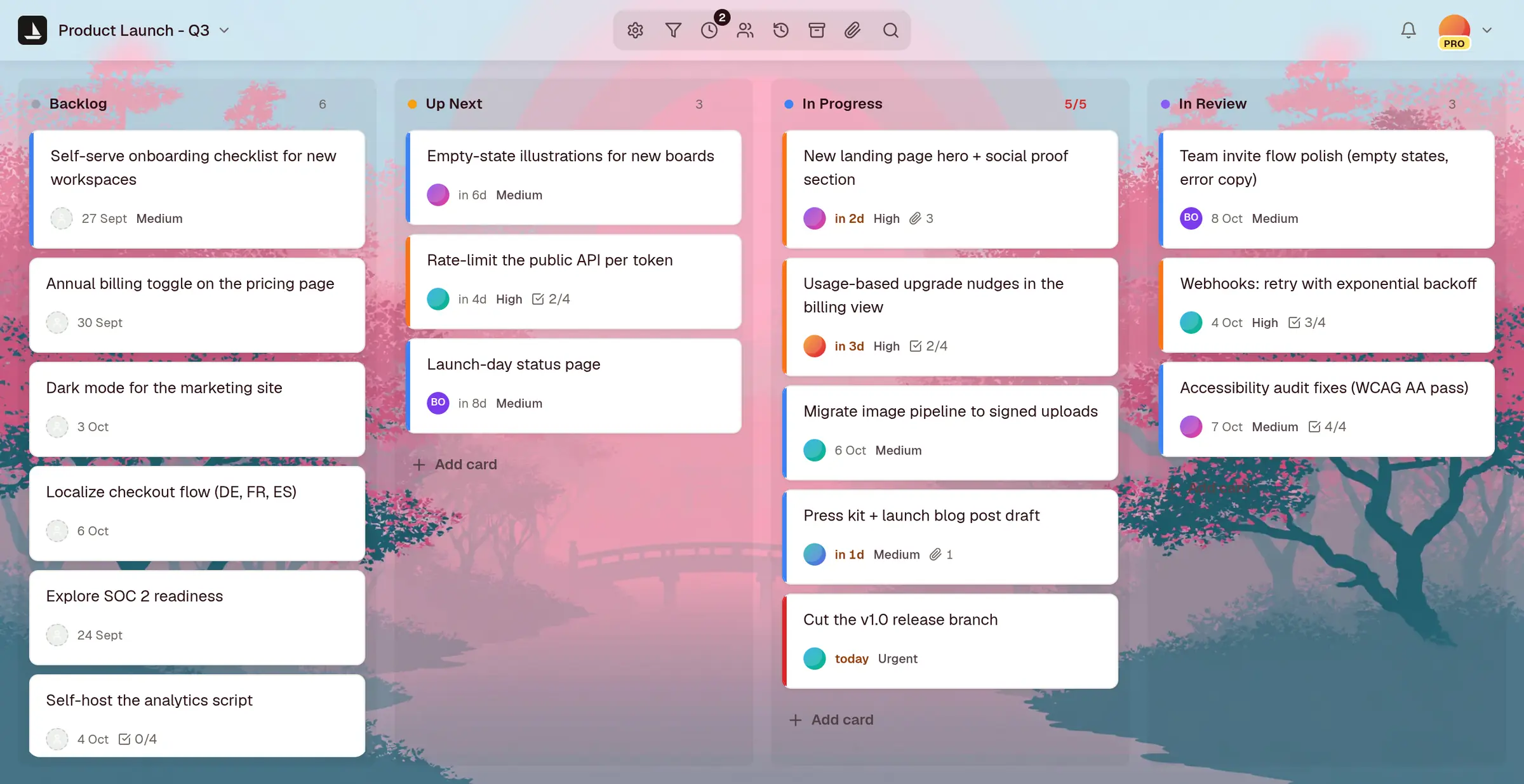
A free kanban board for you and your AI agents
An online kanban board with unlimited cards, live updates and no credit card. Drag cards across columns in the browser, and let Claude, Claude Code or Cursor work the same board.
What's free, exactly
The Free plan is for your own work. No trial clock, and nothing to enter but an email address.
- Up to 3 projects, each with its own board
- Unlimited cards
- Live updates in every open tab
- Read-only public links to share a board
- Export any board as JSON or CSV
- Import from Trello, Jira, Asana or a spreadsheet
- Two-factor sign-in
- The MCP server and REST API for your agents
What needs Pro
Pro is $14 a month or $140 a year, for the day other people join in. Compare the plans.
- Inviting teammates, with roles for the workspace and each board
- More than 3 projects
- Attachments on cards, up to 25 MiB each
- Webhooks to Slack, Discord or your own endpoint
- Email to card, and 50 AI cards a month
The kanban board itself
The same board on every plan. See every feature.
- Columns you name, colour and reorder, with WIP limits that show when a column is full
- Cards with checklists, due dates, an assignee, size, priority, tags and threaded comments
- Focus: overdue, due and stalled cards from every board, in one list
- Standup mode, to walk the board one person at a time
- Milestones beside the board, with today marked
- Search across every board
- Templates for sprints, roadmaps, bugs, content, sales and everyday tasks
From sign-up to a working board
In the browser, on a laptop or a phone. Nothing to install.
-
Step 1
Sign up
An email address and a password, or sign in with Google, LinkedIn or GitHub.
-
Step 2
Make a board
Start with To Do, In Progress and Done, pick a template, or import a board you already have.
-
Step 3
Add cards and drag them across
A title is enough to start. Anyone with the board open sees each move as it happens.
-
Step 4
Connect an agent, if you like
Claude, Claude Code, Cursor or any MCP client can read the board, add cards and move them, as you and with your permissions. How agents use it.
What it doesn't do
- No swimlanes, and no dependencies between cards
- No Gantt charts, timelines or calendar view
- No time tracking
- No offline mode
Questions
Before you start
Is the kanban board really free?
Yes. The Free plan covers 3 projects with unlimited cards, forever. There is no credit card to enter and no trial that runs out. Pro is $14 a month for when other people join in.
Can my team use the free board?
Free is for your own work: inviting teammates is on Pro. You can share any board on Free with a read-only public link, so others can see it without an account.
What happens when I reach 3 projects?
craaft stops the action and tells you, so a fourth board isn't made. Your 3 boards and their cards stay exactly as they are. Pro has no project limit.
Is there a kanban app for my phone?
craaft runs in the browser, on a laptop or a phone, with nothing to install. On a phone the board shows one column at a time and you swipe between them.
Can I take my boards with me if I leave?
Yes. Export any board as JSON or CSV, on every plan, including Free.
Open a board. Add a card. Move it.
Free for 3 projects, with no credit card to enter. Every board exports as JSON or CSV whenever you want to leave.