
Features
Everything on one board
Columns you shape, cards that hold the whole conversation, and live updates for everyone looking. Each feature below shows what you do in the browser, and the call your agent makes to do the same thing.
Columns
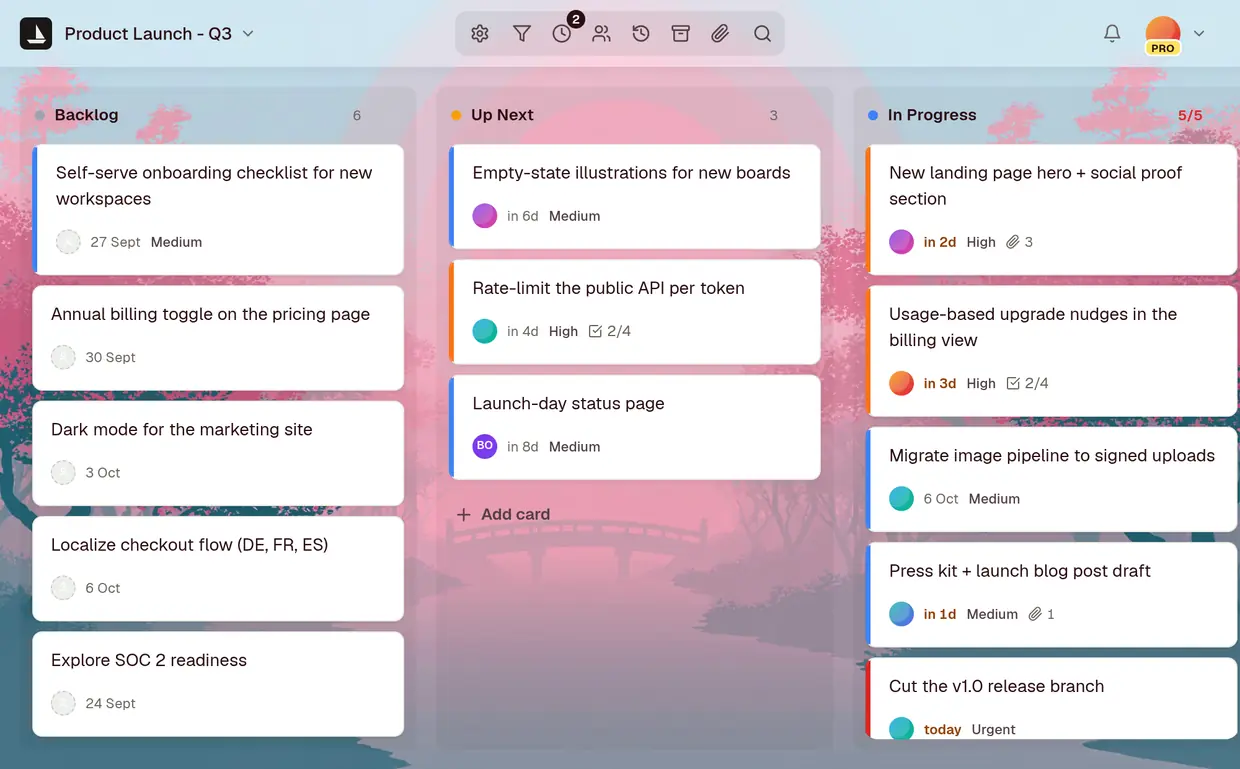
Shape the board around how you work
A new board starts with To Do, In Progress and Done. Keep them, or make the columns your team actually uses, like Triage, Blocked or Waiting on legal.
- Add, rename, reorder and colour columns
- WIP limits that show when a column is full
- Archive a card instead of deleting it
add_column("Product Launch - Q3", "In Review")Cards
Keep the whole conversation on the card
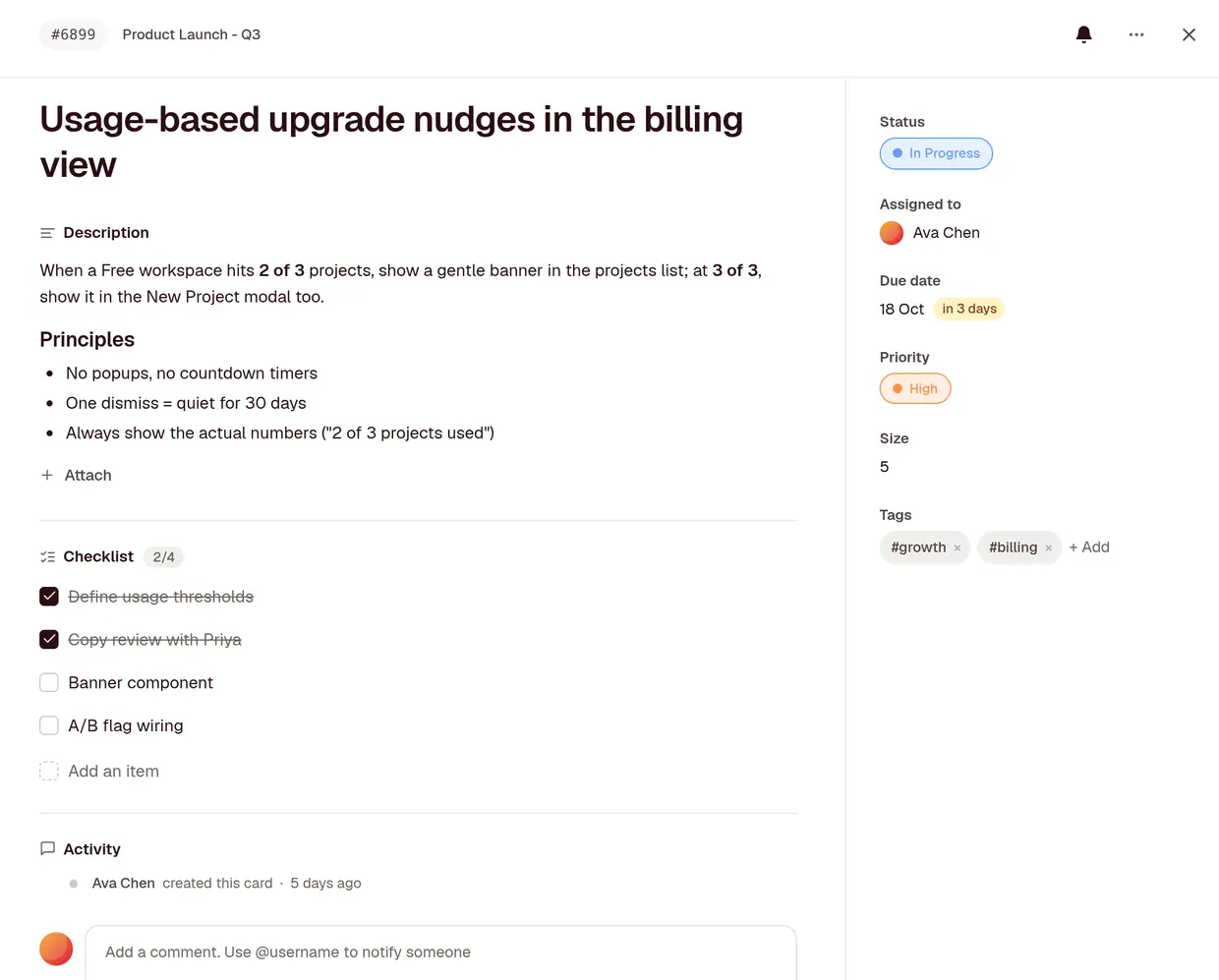
The decision, the files and the checklist live on the card they belong to, not in a chat thread nobody can find next month.
- Threaded comments with @mentions
- Checklists, due dates, assignee, size and priority
- Files up to 25 MiB, voice notes and screen recordings Pro
add_checklist_item("Usage-based upgrade nudges", "A/B flag wiring")Live and activity
Every move shows up as it happens
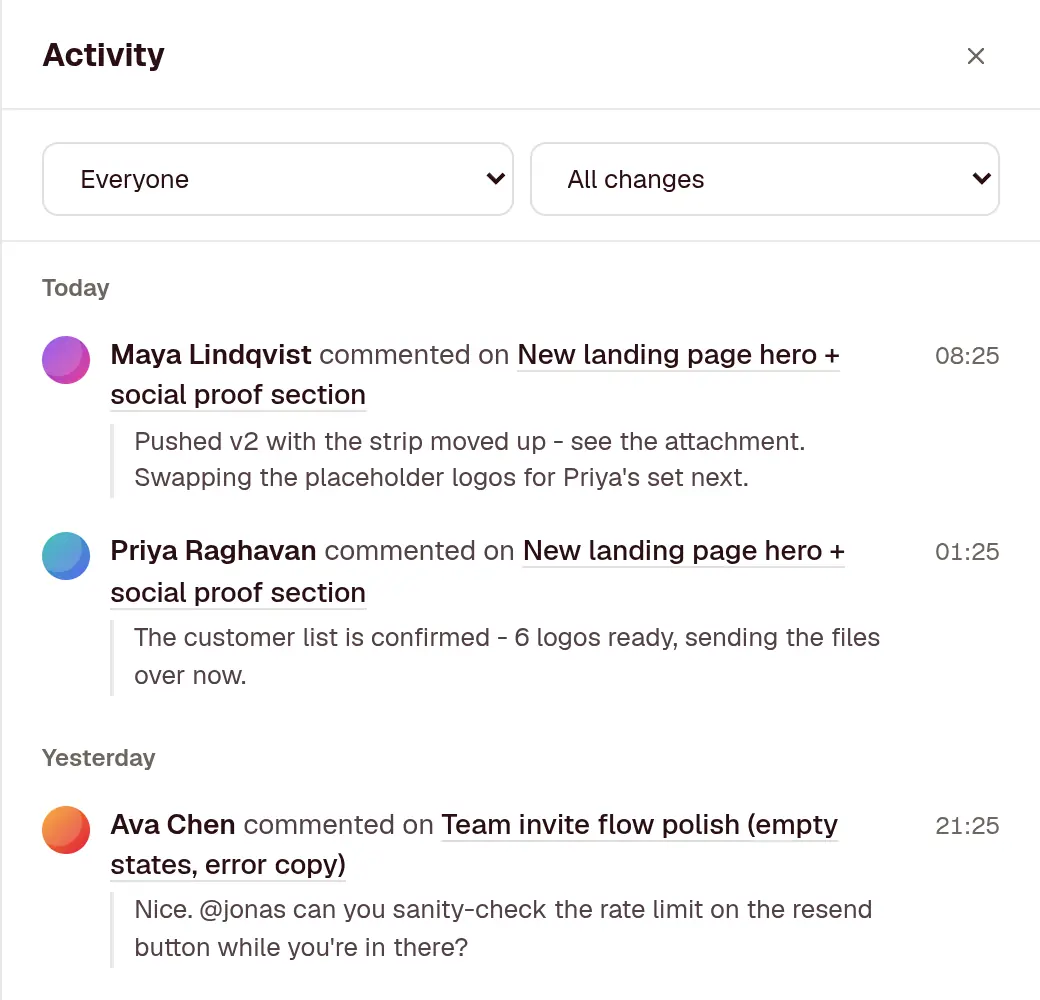
Drag a card and it moves on everyone’s screen, no refresh. When an agent moves one, you see that too, under the name of the person it works for.
- Live updates in every open tab
- A bell for mentions, assignments and cards you follow, and an email only for what you missed
- An activity log on every card, and a board feed of who did what, kept for 12 months
get_board_activity("Product Launch - Q3")Focus and standup
See what needs you across every board
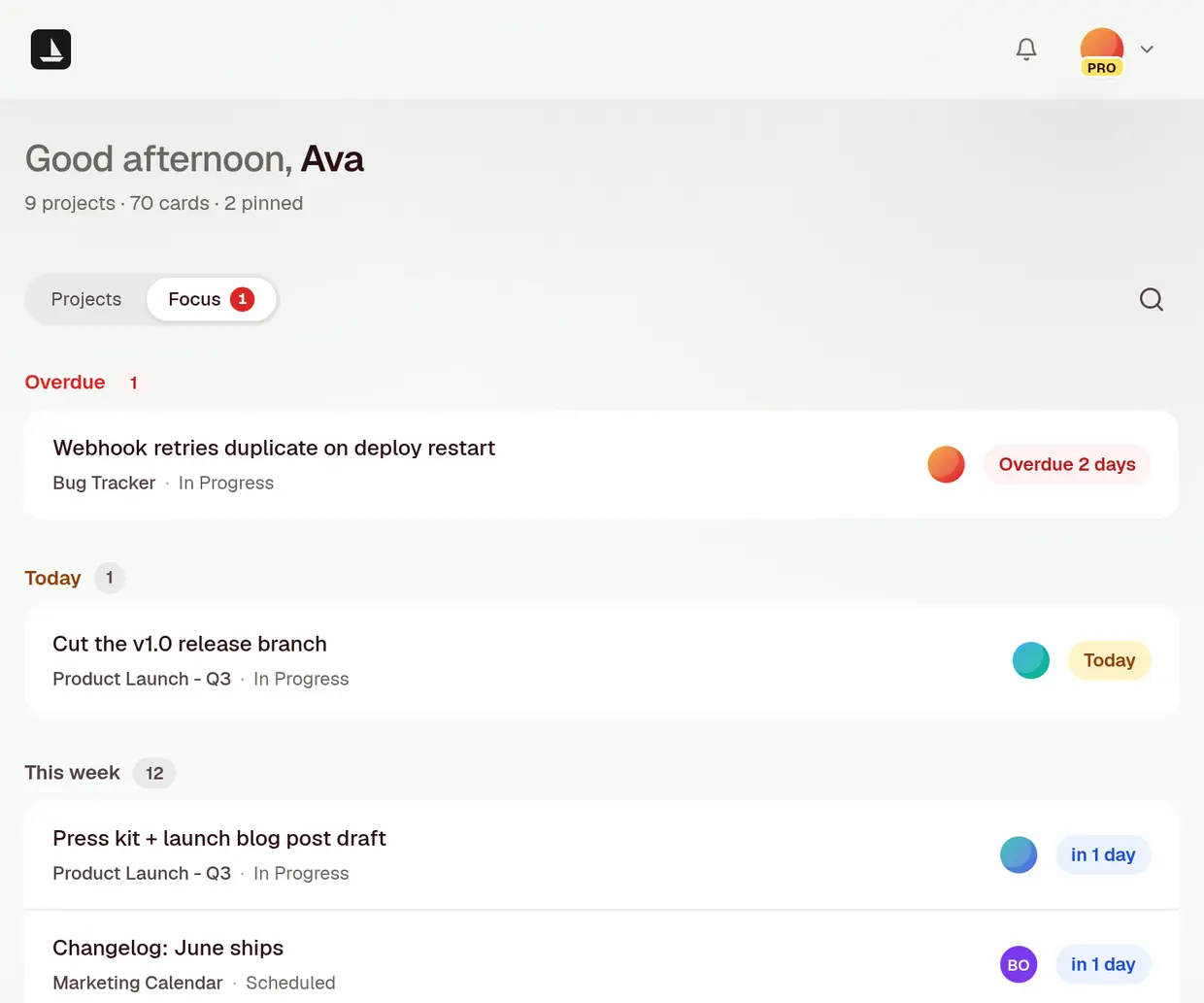
Focus is one list of the cards that want something from you, from every board you can open. Standup walks a board one person at a time.
- Overdue, due today and due this week, across every board
- Needs attention: cards with no date that are high priority or haven’t moved in a week
- To tidy: cards with no details, cards untouched for 2 weeks, and yours with no date
- Standup: pick a name and the board shows only their cards, with a count in every column
get_focus()Milestones and files
Mark the dates that matter. Find any file.
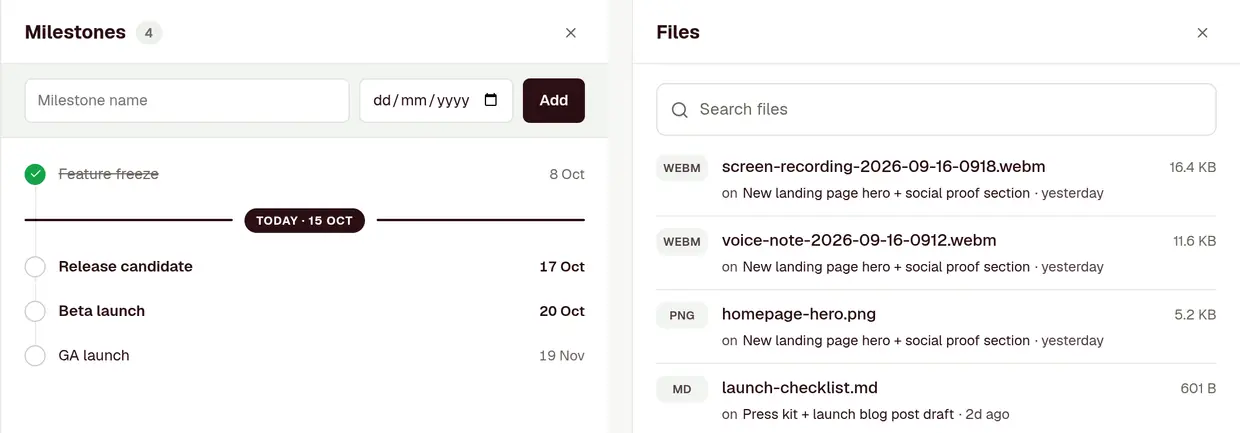
Milestones sit beside the board with today marked between them. The Files panel lists every file on the board in one place you can search.
- Dated milestones on each board, ticked off when you reach them
- Every file on the board with the card it’s on, searchable by name Pro
- Board admins choose which of these buttons the board shows
add_milestone("Product Launch - Q3", "Beta launch", "2026-10-20")Agents
Your agents work the board, not a copy of it
Agents read boards, add cards, move them, comment and search, as you and with your permissions. Nothing to sync, and nothing they can do that you couldn’t.
- MCP server for Claude, Claude Code, Cursor and any MCP client
- Sign in from Claude with OAuth, or use a token
- REST API with a public OpenAPI spec, on every plan
Sharing and access
Share a board without sharing everything
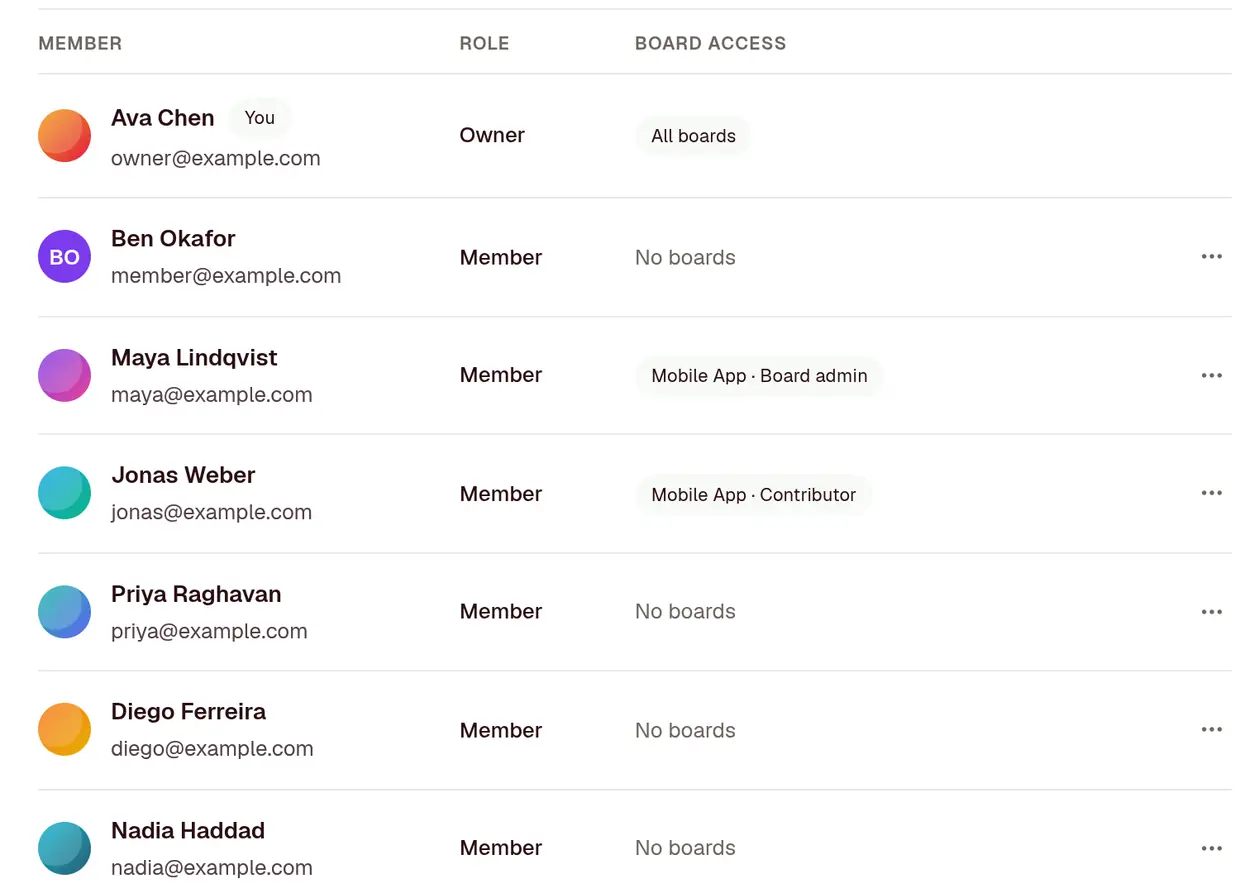
Send a client a read-only link to one board. Keep another board private to 3 people. Turn a link off and that URL stops working for good.
- Read-only public links, on every plan
- Private boards, seen only by the people you add
- Invite teammates, with a role for the workspace and each board Pro
grant_board_access("Mobile App", "jonas", "contributor")Search
Find any card from any board
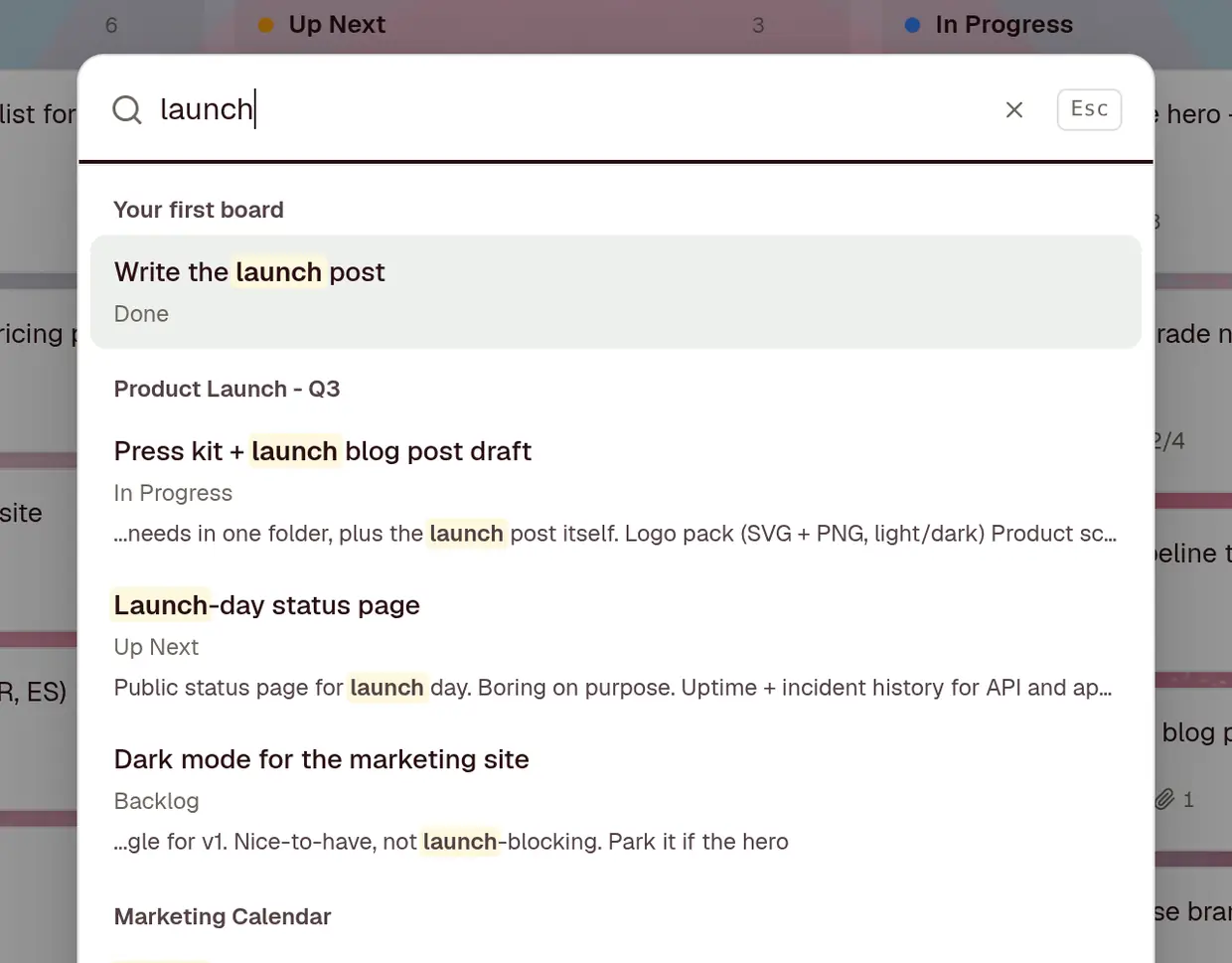
One search box covers every board you can open. Title matches come first, so the card you’re thinking of is usually the top result.
- Searches titles and descriptions across boards
- Title matches rank above description matches
- Archived cards show up too, marked as archived
search_cards("launch")Email to card
Turn email into cards
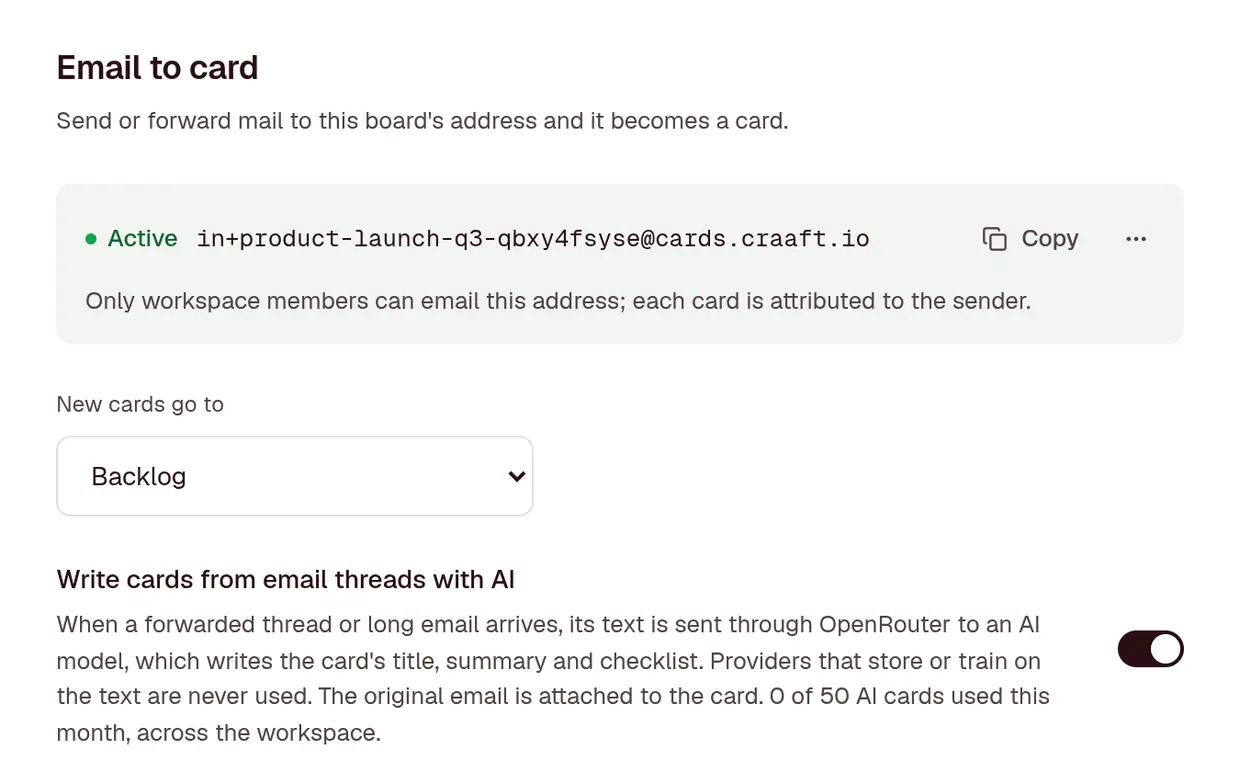
On Pro, every board has its own address. Send or forward mail to it and it lands on the board as a card, with its attachments.
- Only people in your workspace can send to it, and each card is attributed to its sender
- A forwarded thread keeps its latest message, with the whole email attached
- Turn on AI cards and a long thread becomes a title, a summary and a checklist of the asks, 50 a month
- That text goes through OpenRouter, never to a provider that stores or trains on it
enable_inbound_email("Product Launch - Q3")Webhooks
Send the board where your team already talks
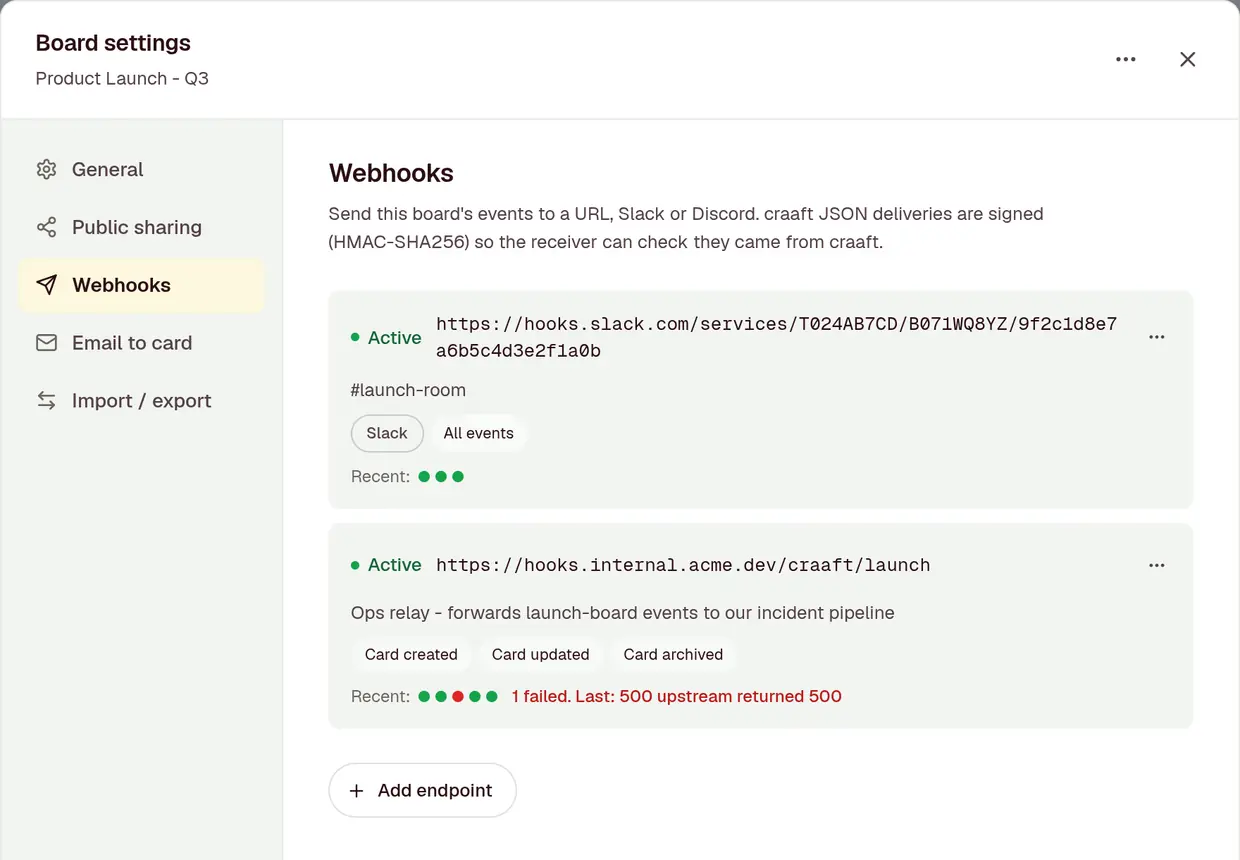
On Pro, post card changes to a Slack or Discord channel, or to an endpoint you run.
- Slack and Discord get one readable message per card, once it has been quiet for a minute
- Your own endpoint gets signed JSON, retried for up to an hour if it’s down
- Pick which events each board sends
create_webhook("Product Launch - Q3", format: "slack")Import and export
Come in from anywhere. Leave whenever.
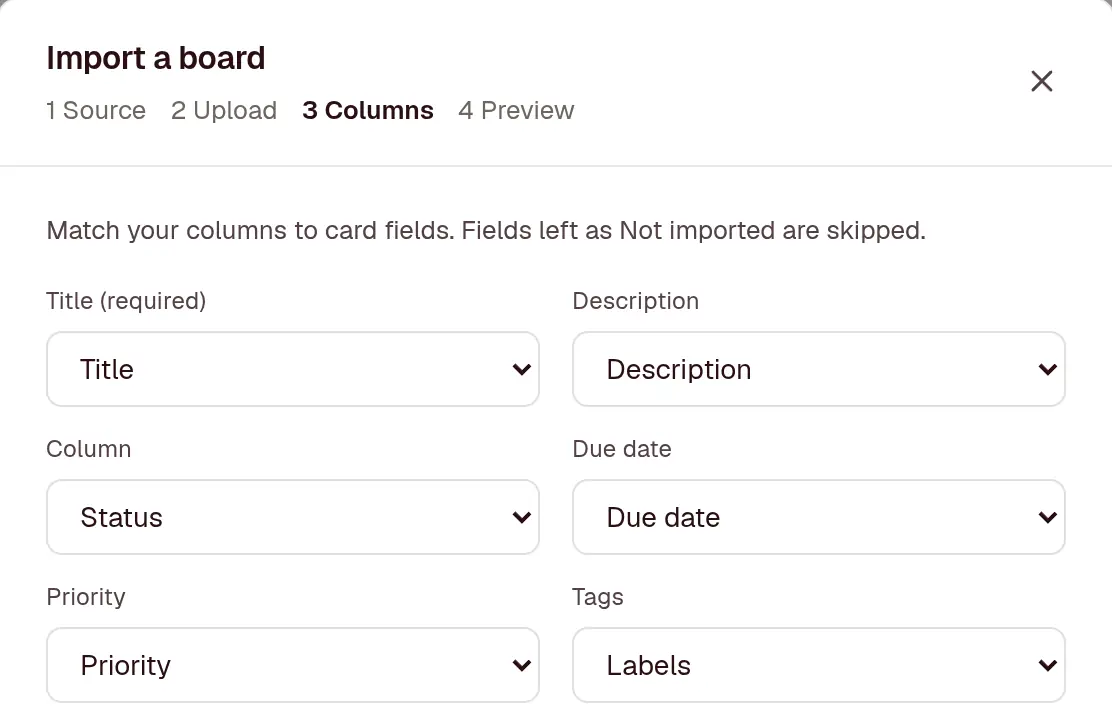
Bring a board over from Trello, Jira, Asana or any CSV, and take any board back out as JSON or CSV.
- craaft matches your file’s columns to card fields and shows a preview before anything is made
- Up to 2,000 cards at a time, and nobody gets a notification while it runs
- Export and import on every plan, and a craaft JSON export imports straight back in
import_board("office-move.csv")Security
Sign-in you can lock down
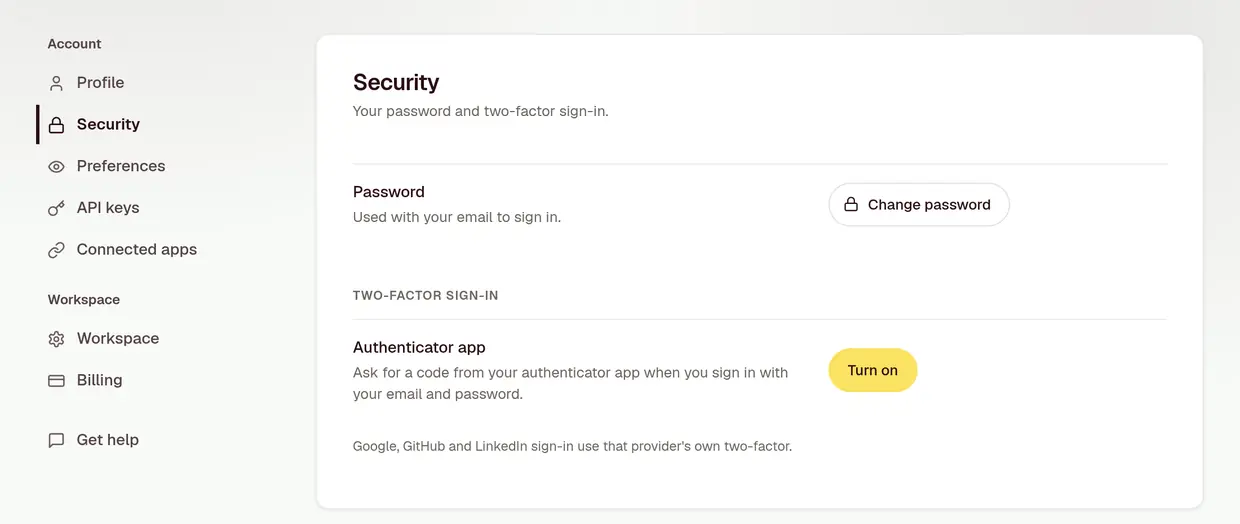
Turn on two-factor, see which apps can reach your boards, and cut any of them off from Settings.
- Two-factor sign-in with an authenticator app, and 10 single-use recovery codes
- Passwords are bcrypt-hashed, and API keys and app tokens are stored only as a hash
- Changing your password signs out your other sessions and disconnects every connected app
- Hosted on Google Cloud. The privacy policy lists every service we use
Before you switch
What craaft doesn’t do
Better to find out here than after the import. None of these are in craaft today:
- Swimlanes
- Links or dependencies between cards
- Gantt charts or timelines
- Time tracking
- Offline mode
- Seeing who else has a board open
If one of these decides it for you, tell us. We read every email.
Start with one board
Free for 3 projects, with no credit card to enter. Pro adds files, invites and integrations when your team needs them.